Catalog Item:
• A Catalog Item is a request form available in the Service Catalog that allows users to request a product, service, or resource provided by an organization.
• When a user submits a Catalog Item, ServiceNow processes the request and creates the necessary records (such as a Request and Requested Item) so that the appropriate team can fulfill it.
• In simple language A Catalog Item is a form that users fill out to request a service or product from the Service Catalog.
Why do we use Catalog Items ?
In every organization, employees need different services like : Laptop ,Software installation ,VPN access ,New monitor ,Keyboard and mouse ,Email account or any other services .Instead of sending emails or calling the IT department, employees can simply use a Catalog Item(i.e a form) to submit their request. This makes the request process faster, organized, and easy to track.
Example of Catalog item : Suppose an employee needs Microsoft Office installed on their computer. Instead of sending an email to IT, they: Open the Service Catalog. Select Microsoft Office Installation. Enter their computer details. Click Submit. The request is automatically created and assigned to the IT team for installation.
Types of Catalog Item :-
- Standard Catalog : Definintion- A Standard Catalog Item is the most commonly used type of Catalog Item in ServiceNow. It allows users to request a single product or service from the Service Catalog. After the user submits the request, ServiceNow creates a Request (REQ) Purpose- Organizations provide many services to their employees, such as: Laptop Request ,Software Installation ,VPN Access ,Office Chair Request ,Mobile Phone Request Instead of requesting these services through emails or phone calls, employees can submit a request using a Standard Catalog Item. Example for standard Catalog- Standard Catalog Item named “Uniform and Driver License”. Users can select the required options, fill in the necessary details, and click Order Now to submit their request.

- Record Producer : A Record Producer is a type of Catalog Item in ServiceNow that allows users to create a record in a specific table by filling out a form. Unlike a Standard Catalog Item, it does not create a Request (REQ) or Requested Item (RITM). Instead, it directly creates a record in the selected table, such as Incident, Case, or a custom table. Purpose- Sometimes users do not need to request a product or service. Instead, they need to create a record, such as:Reporting an IT issue ,Raising a complaint ,Submitting feedback ,Reporting a damaged asset ,Creating a support ticket. A Record Producer provides a simple form for users to submit this information without giving them direct access to the underlying table. Example for Record Producer- Record Producer named “Uniform Fitting Issue” that I created in ServiceNow. Users can report uniform fitting problems by filling in the required details and clicking Submit. Once submitted, ServiceNow creates a new Incident record for the issue.

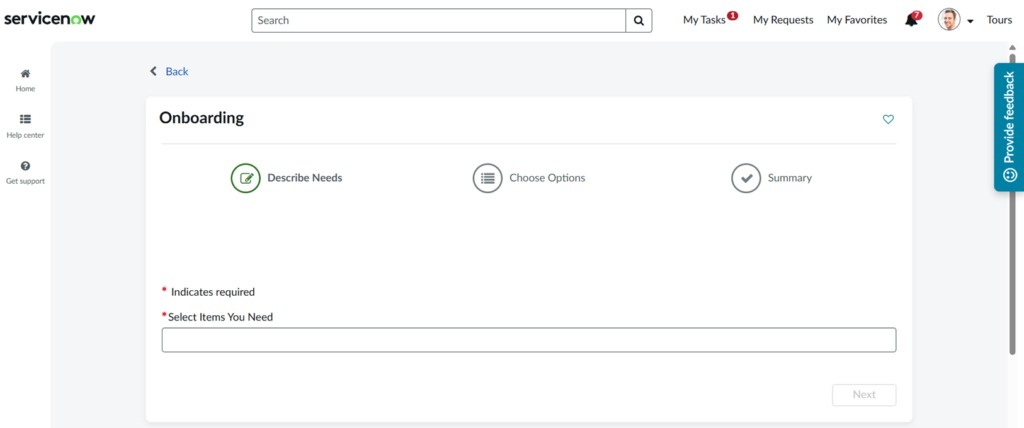
- OrderGuide : Definition- An Order Guide is a type of Catalog Item in ServiceNow that allows users to request multiple related Catalog Items together through a single request form. Instead of submitting separate requests for each item, users can select all the required items at once, making the request process faster and more organized. Purpose- In many situations, employees need more than one service or product at the same time. Instead of creating separate requests for each item, an Order Guide groups related Catalog Items together, reducing time and simplifying the request process. Example for Order Guide- It combines the Uniform,Driver License and ID Card Catalog Items into a single request, allowing users to request both services together instead of submitting separate requests.